Deep Agent Analytics
A local gateway and observability platform for AI agents: capture every request, inspect every tool call, and account for every token.
npm install -g deepaa
Official presets · one-click onboarding
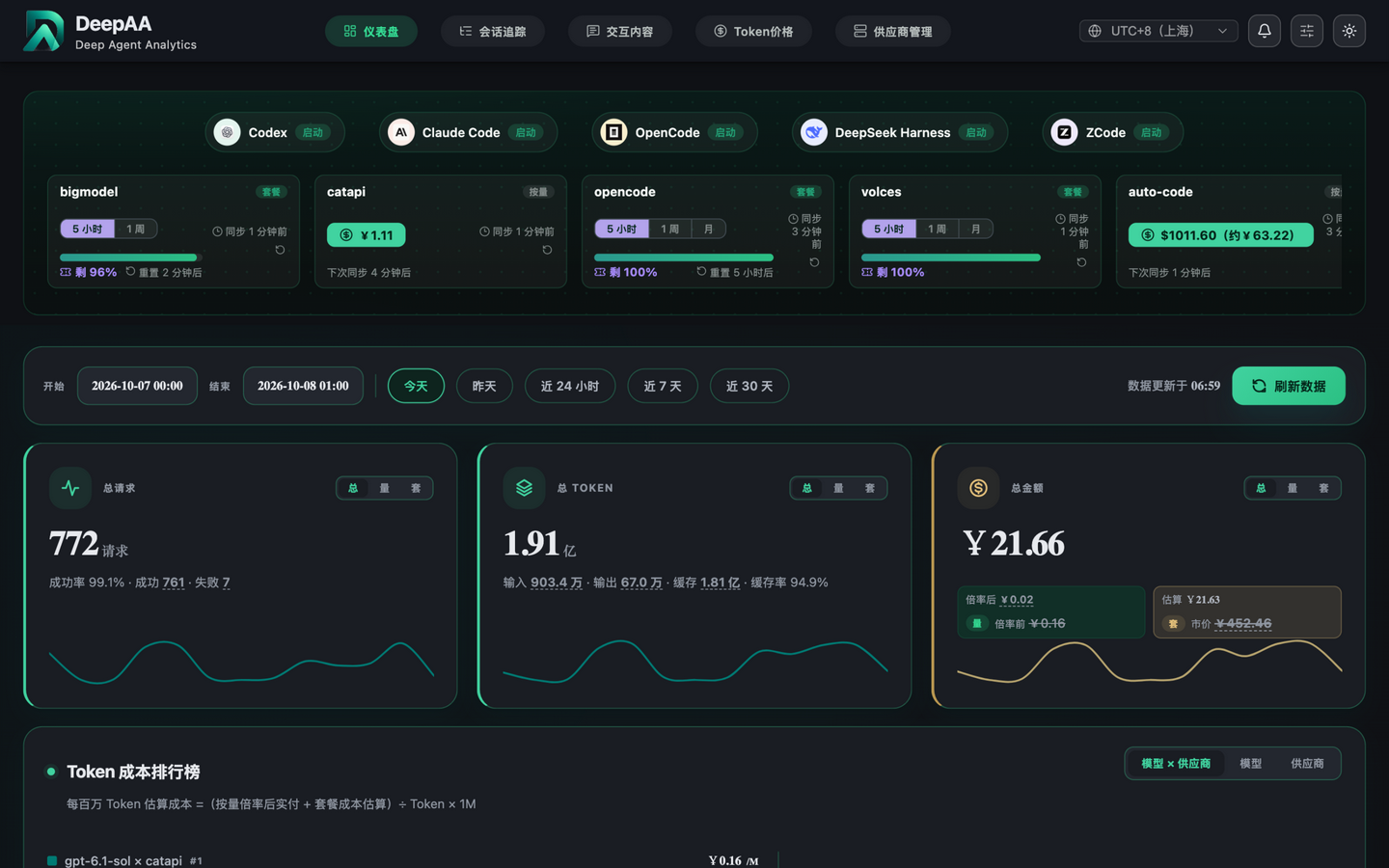
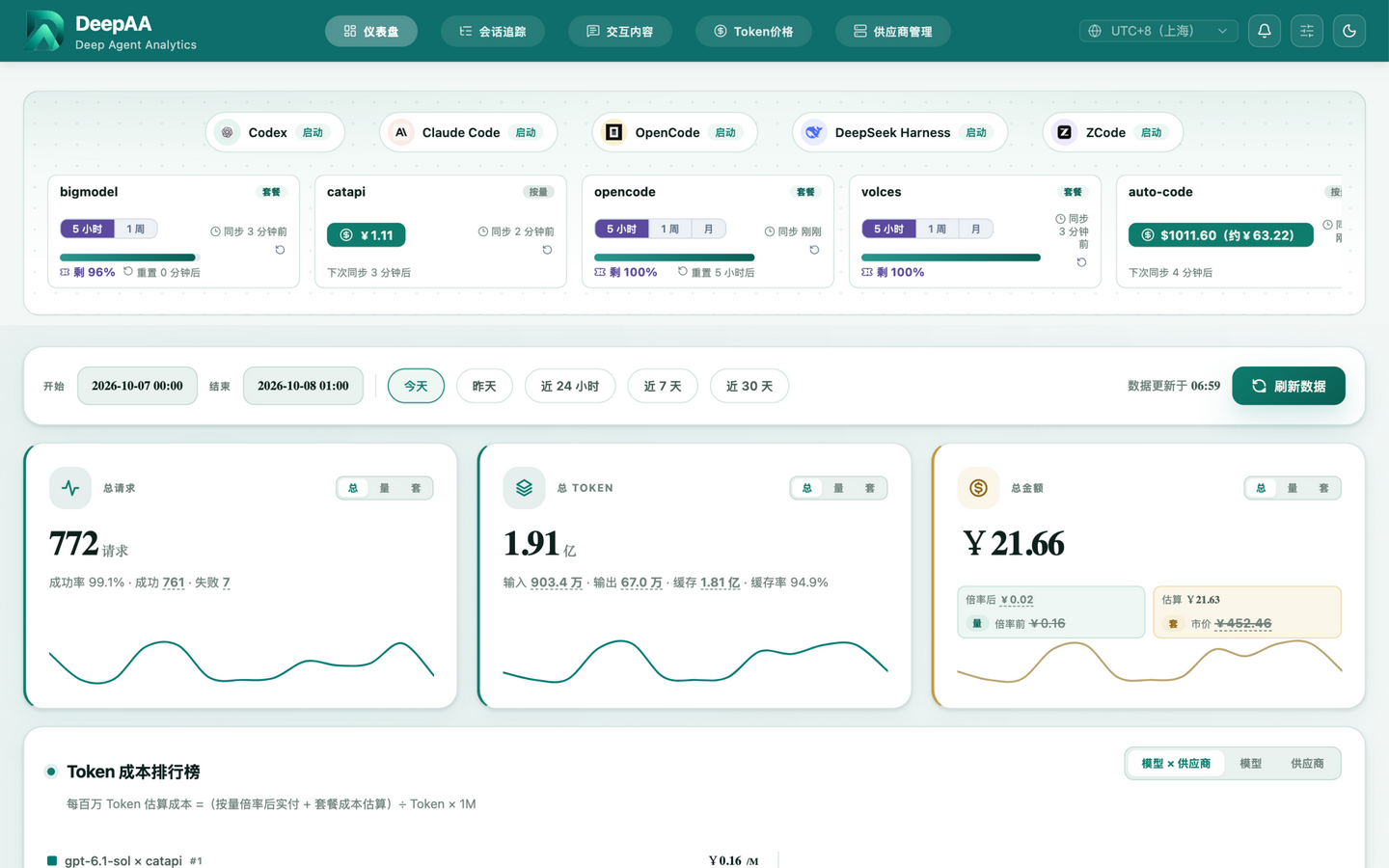
The Always-On AI Inspector
that Captures Your Workflows
End-to-End
Capture Real HTTP Evidence
Intercept complete requests and responses from any OpenAI or Anthropic compatible endpoint, including prompts, tool calls, streaming events, token usage, and upstream metadata—no agent code changes required.
View Docs →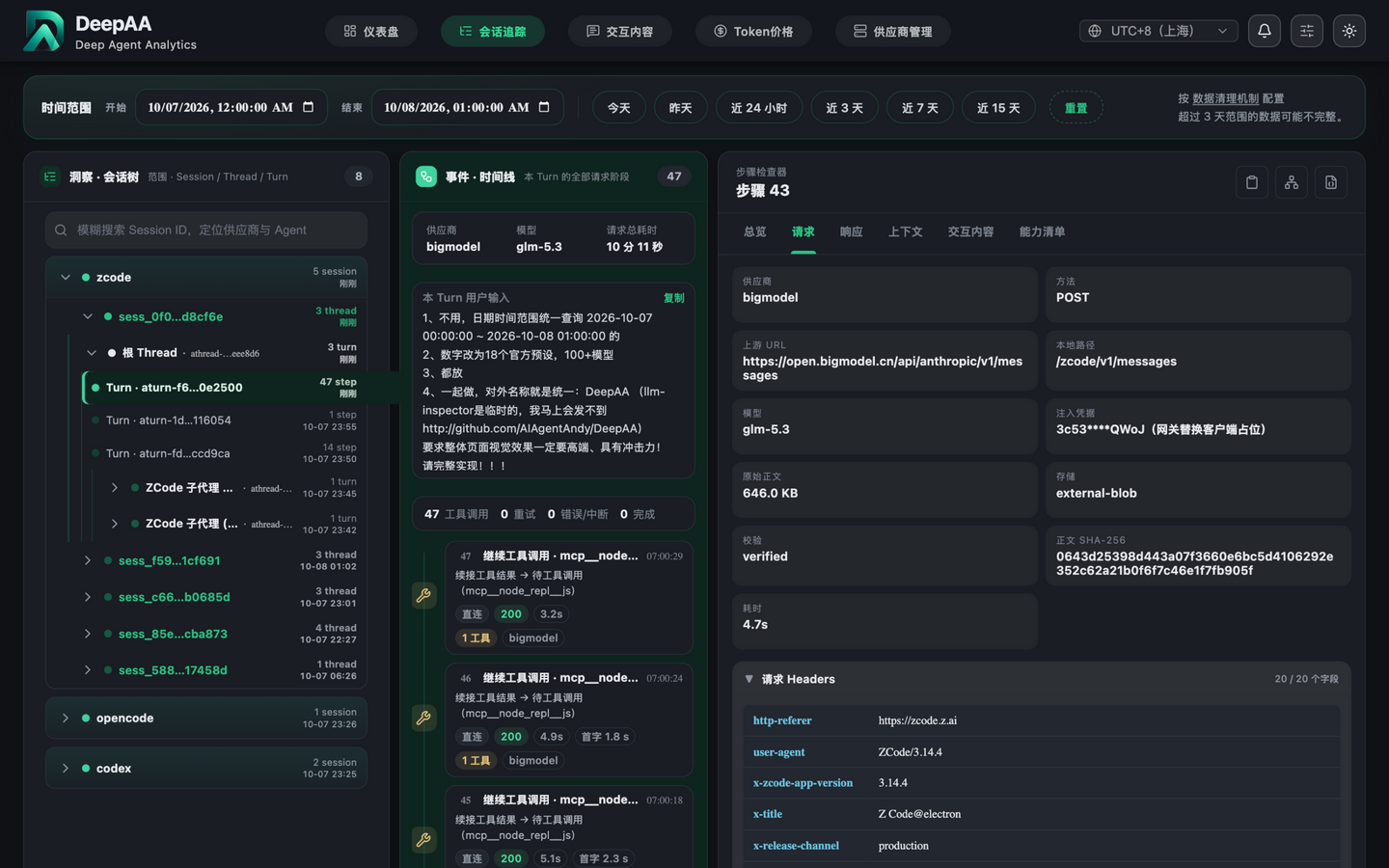
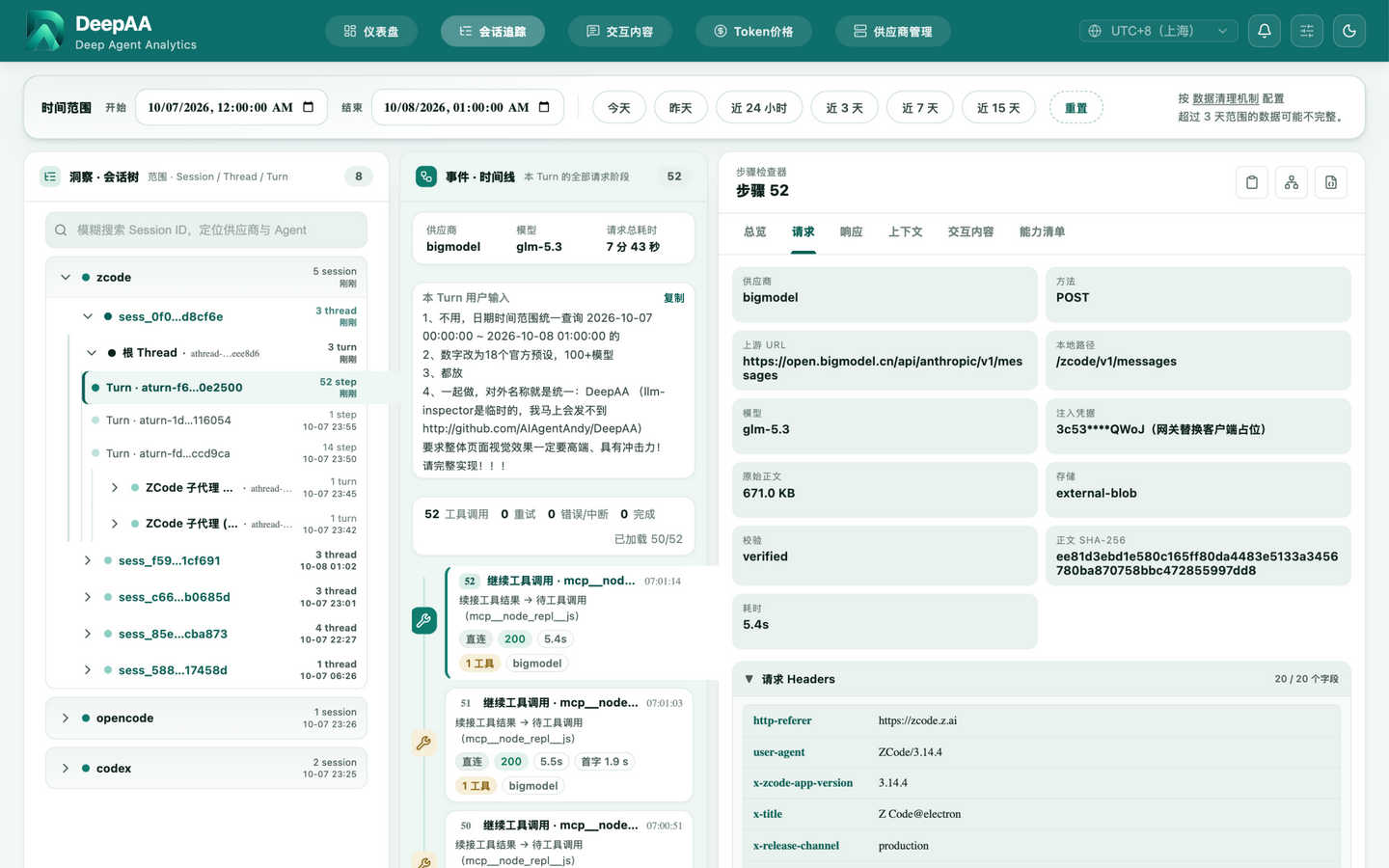
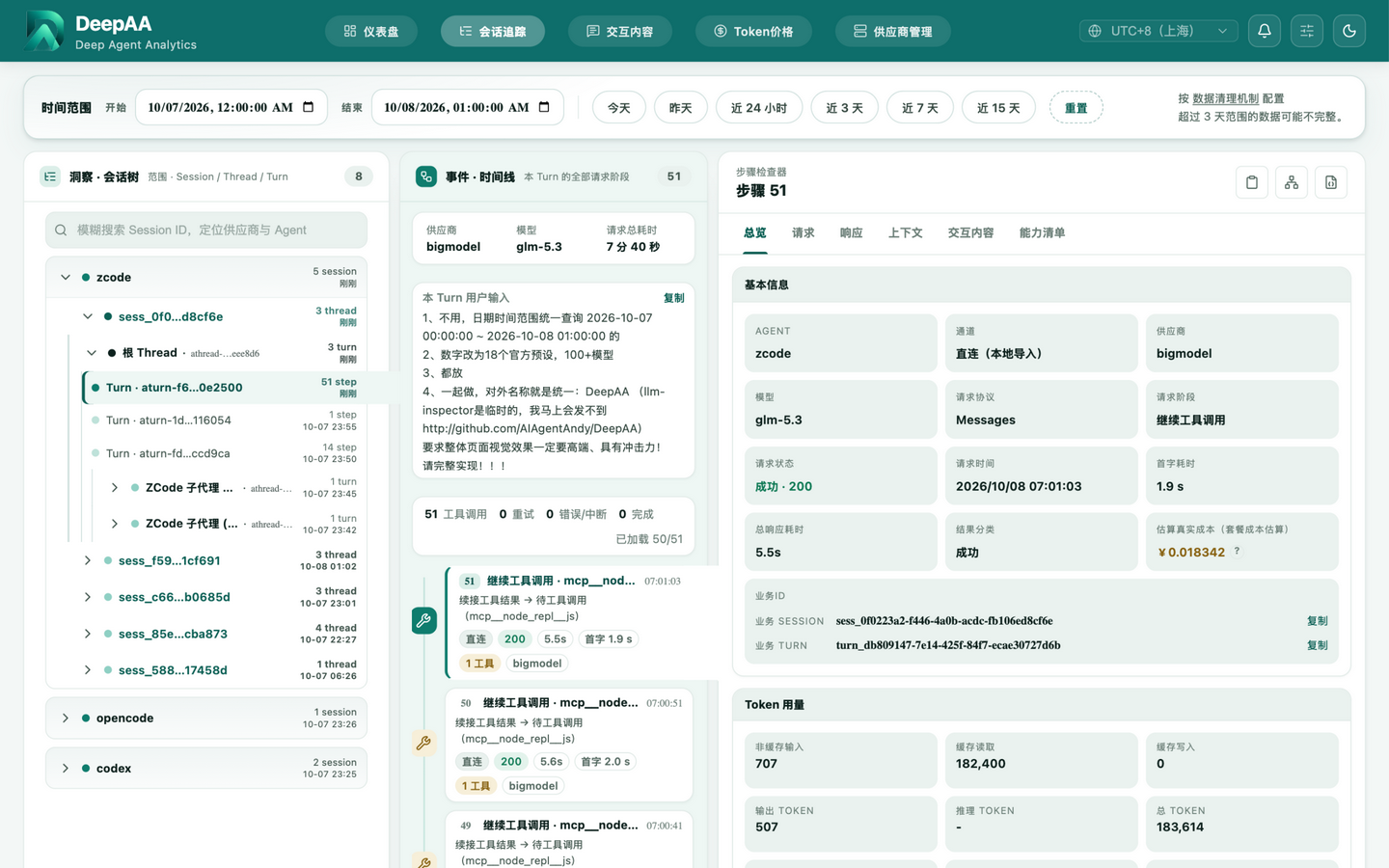
Session → Thread → Turn → Step Hierarchy
Automatically group sessions by target + model + date. Recursive threads collapse independently. Each turn breaks down into steps—tool calls and model responses at a glance.
View Example →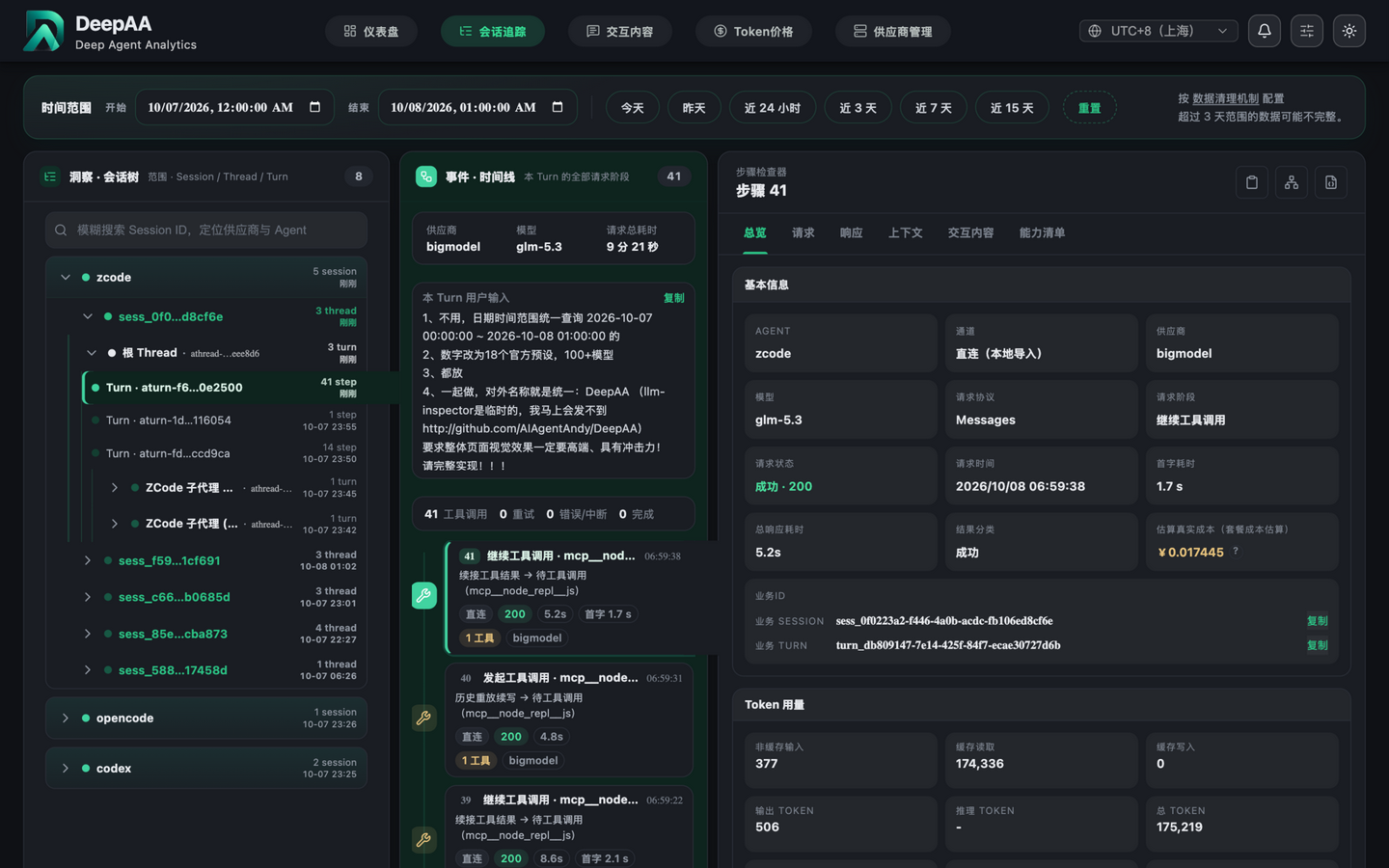
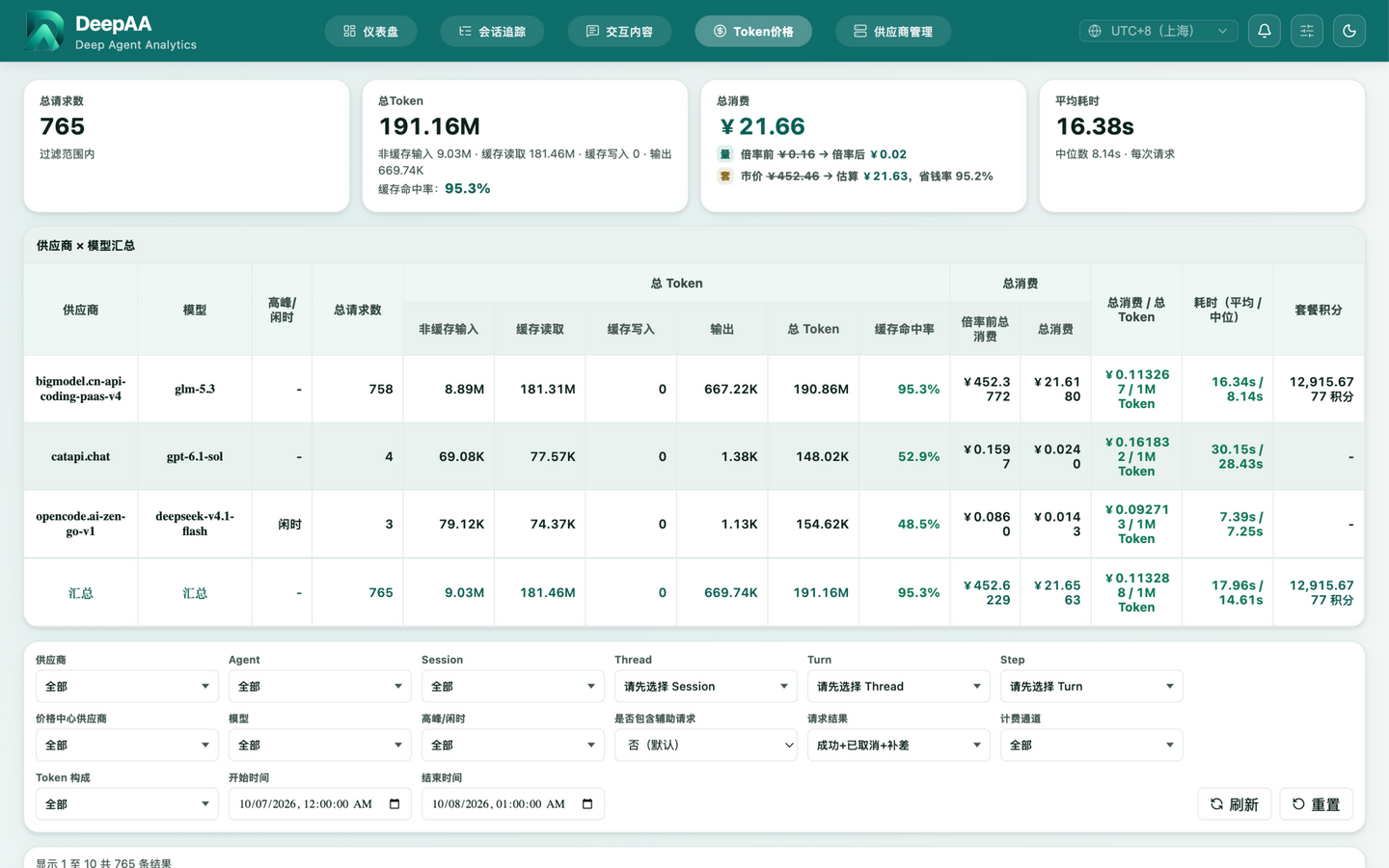
Token & Cost Accounting
Real-time cost calculation from a built-in catalog of 18 official presets / 100+ models, with off-peak rate windows and plan credit conversion. Provider × model summaries, cache hit rates, and multiplier comparisons in one view.
View Pricing →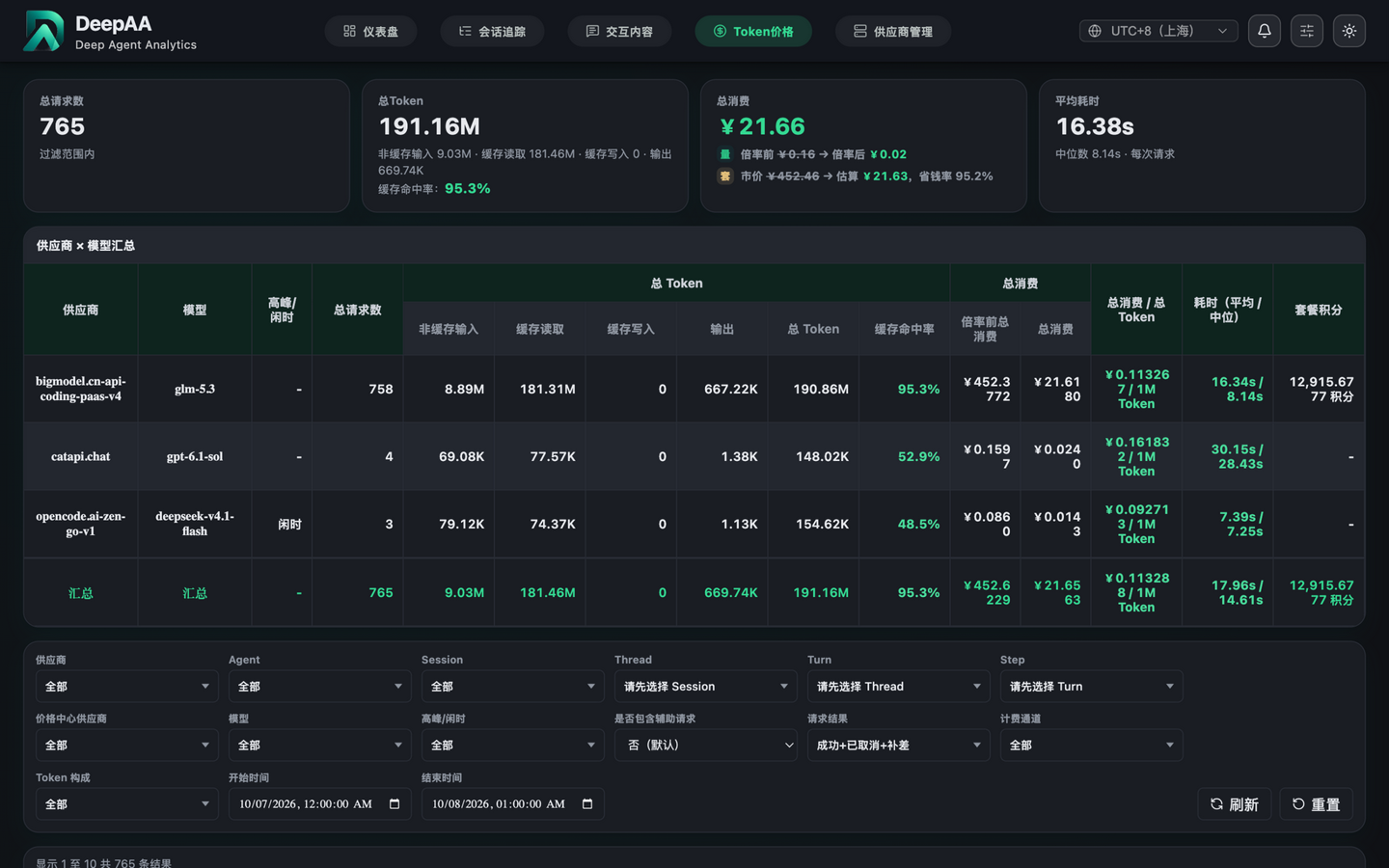
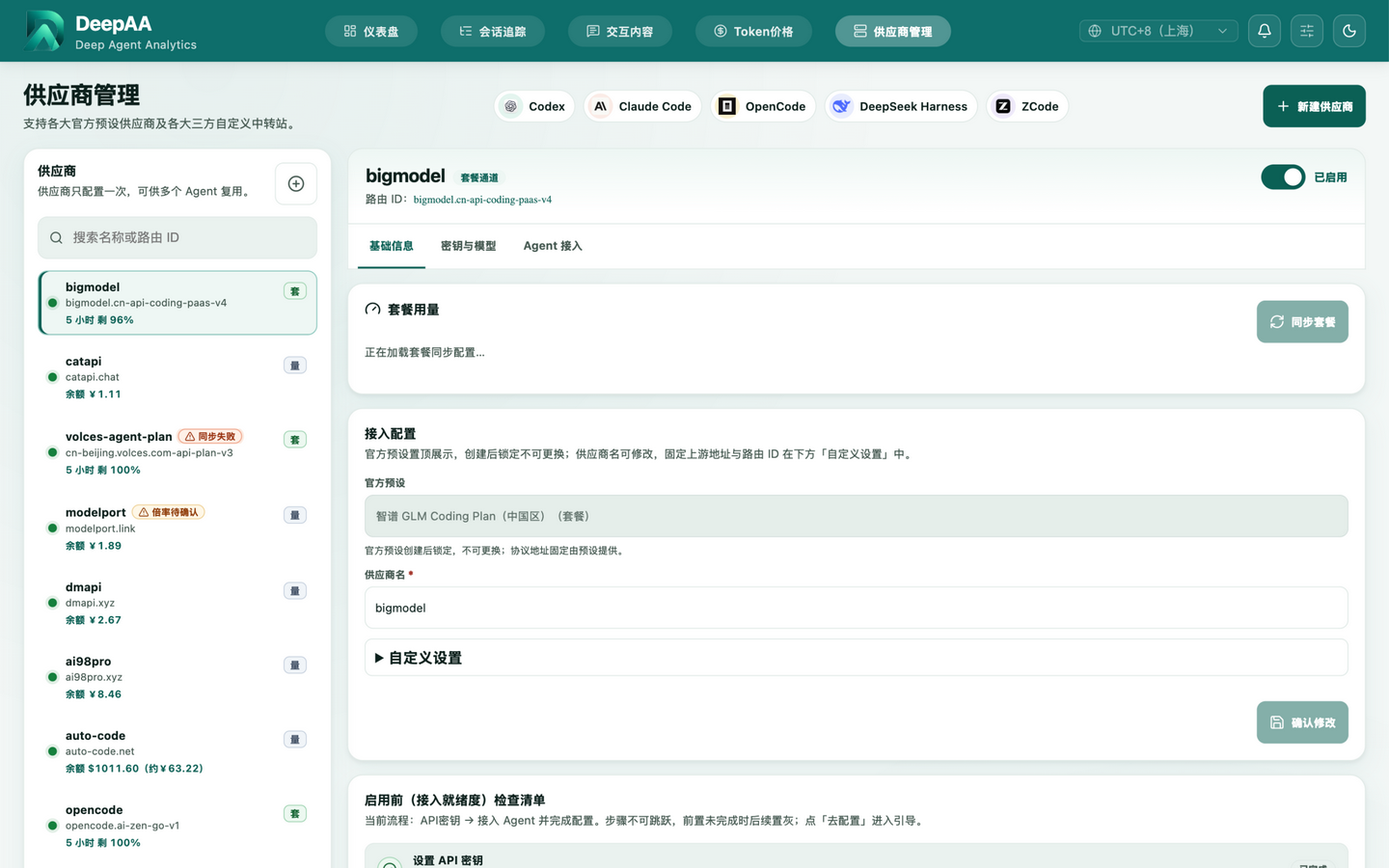
Unified Provider Management
Connect 18 official presets and custom relays in one click. Plan quota windows (5-hour / weekly / monthly), automatic balance sync, keys, and model mappings managed centrally; the pricing catalog is published remotely so clients always stay current.
View Docs →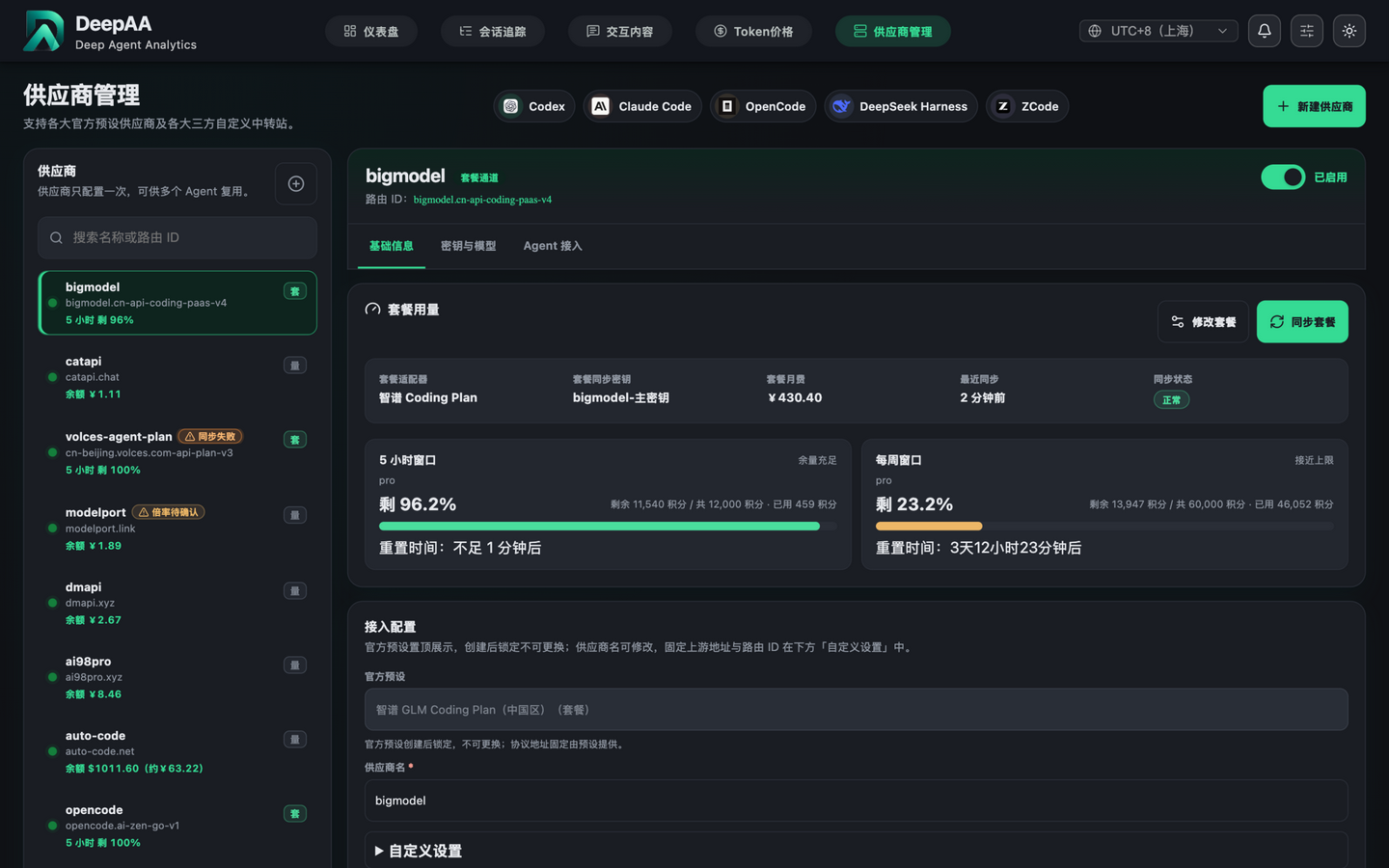
Not a Chatbot. Not a Prompt Tool.
| SDK Logs | Deepaa |
|---|---|
| Only see final results | Complete HTTP request/response chain |
| Can't trace back prompts | Preserve original prompts & system messages |
| Tool calls are black boxes | Every tool call's input & output visible |
| Token usage needs manual tracking | Auto-aggregate Session/Thread/Turn usage |
| Cost estimation by guesswork | Real-time pricing for 18 official presets, incl. off-peak rates |
| Debug with console.log | One-click curl command generation |
| Multi-turn conversations hard to correlate | Auto-group sessions by target + model + date |
Up and Running in 2 Minutes
One-command install on macOS and Windows via npm. All data stays 100% local.
One-Prompt Install via Your Local Agent
Copy the prompt below and paste it into Claude Code, Codex, Cursor, or any local agent — it will install and launch Deepaa for you.
Install and start Deepaa (a local-first AI agent gateway & observability tool) on this machine:
1. Check the Node.js version — 22+ is required; if missing or outdated, install the LTS release first;
2. Run npm install -g deepaa for a global install; on a slow network, switch the npm registry to https://registry.npmmirror.com first;
3. Once installed, run deepaa to start the service — the browser opens http://localhost:3210 automatically (proxy on port 3211);
4. Verify the Web UI is reachable and report the URL back to me.
Prerequisite · Node.js 22+
# Install with Homebrew
brew install node

# Or download from nodejs.org
Get Started
npm install -g deepaa
deepaa
Your browser opens http://localhost:3210 automatically (proxy on port 3211). A DeepAA desktop shortcut is created on install; run `deepaa service install` for auto-start on login with crash recovery.
Use the npmmirror registry to speed up installation:
# Configure npm mirror globally (recommended)
npm config set registry https://registry.npmmirror.com

# Or per-install
npm install -g deepaa --registry=https://registry.npmmirror.com
Node.js installer mirror (CN): npmmirror.com/mirrors/node
Environment Variable Setup
Point Claude Code or Codex clients at the local proxy.
# Claude Code
export ANTHROPIC_BASE_URL=http://localhost:3211/claude

# Codex
export OPENAI_BASE_URL=http://localhost:3211/codex/v1
FAQ

Join the DeepAA Community
Scan the QR code to join our QQ group: report issues, share workflows, get the latest updates, and talk directly with the developers.
QQ Group · Scan to join